 SUPERWAO

WeChat mini program
植此一方
A small green corner you can always come back to.
Plant encyclopedia, photo identification, disease diagnosis and care reminders in one WeChat mini program: take a photo and Xiaozhi looks after it with you.
- plant profiles
- 37,451
- common symptoms
- 65
- care plans
- 33
Everyday plant care, all in one place.
From “what is this?” to “what should I do today?”, four modules form one care path you never have to memorise.
Plant encyclopedia
37,451 plant profiles: light, watering, cold hardiness and pet safety on one screen.
Photo identification
Point the camera at a plant; Xiaozhi suggests the species and links it to the encyclopedia or your garden.
Disease diagnosis
Upload a leaf photo and get step-by-step care advice by symptom, cause and treatment plan.
A closed care loop
Profiles, tasks, reminders and growth records connect, so watering and feeding no longer rely on memory.
Xiaozhi advisor
Ask once: what to water today, and how much.
Xiaozhi answers per plant with a suggested amount and steps, and attaches plant action cards you can add to your to-dos in one tap.
- Advice based on weather and each plant’s state
- Actionable amounts and steps inside the answer
- Flags what you should double-check
Eight screens, one care path.
Screenshots from the live version.
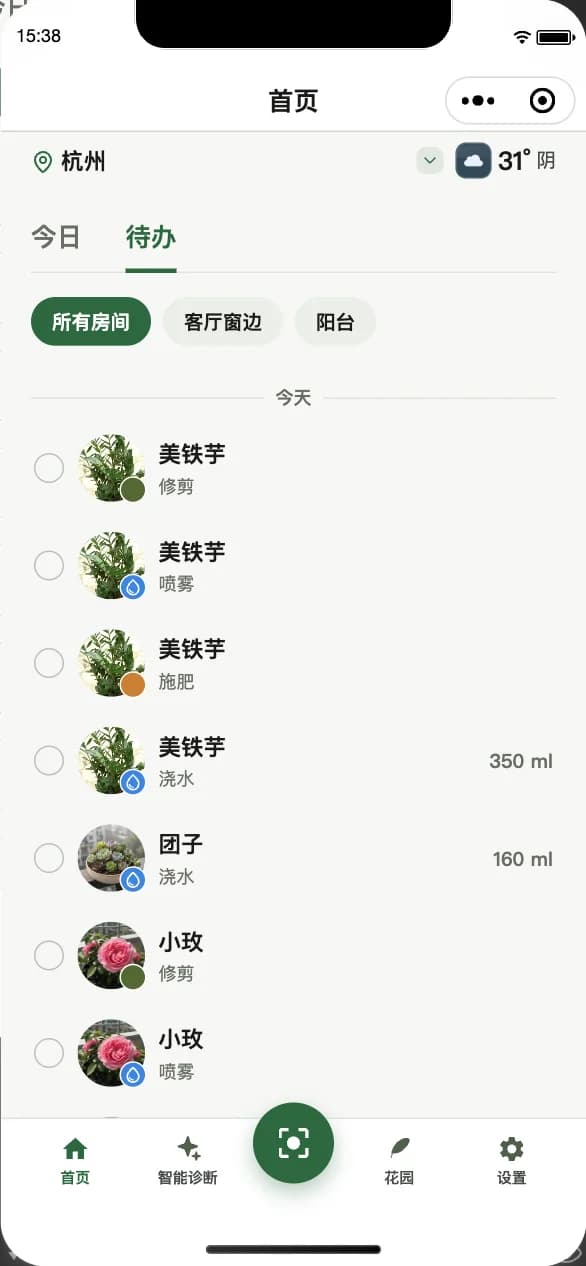
Home · today’s to-dos
Local weather and today’s tasks together, listing every plant to water, grouped by room.
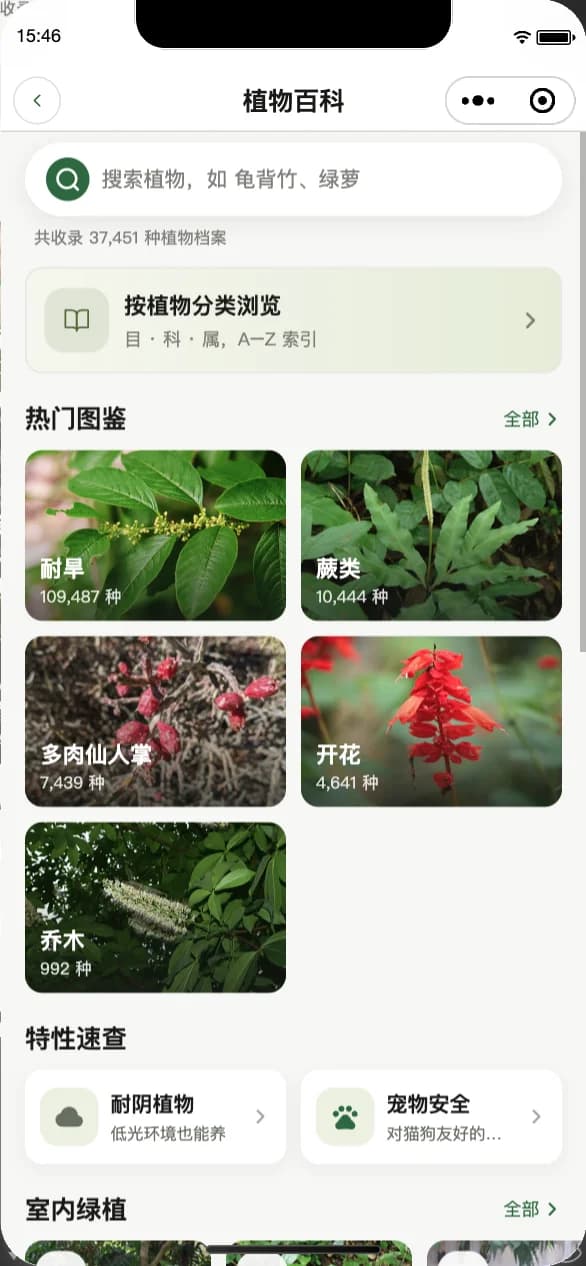
Plant encyclopedia
Browse by order, family and genus, or filter by shade tolerance and pet safety.
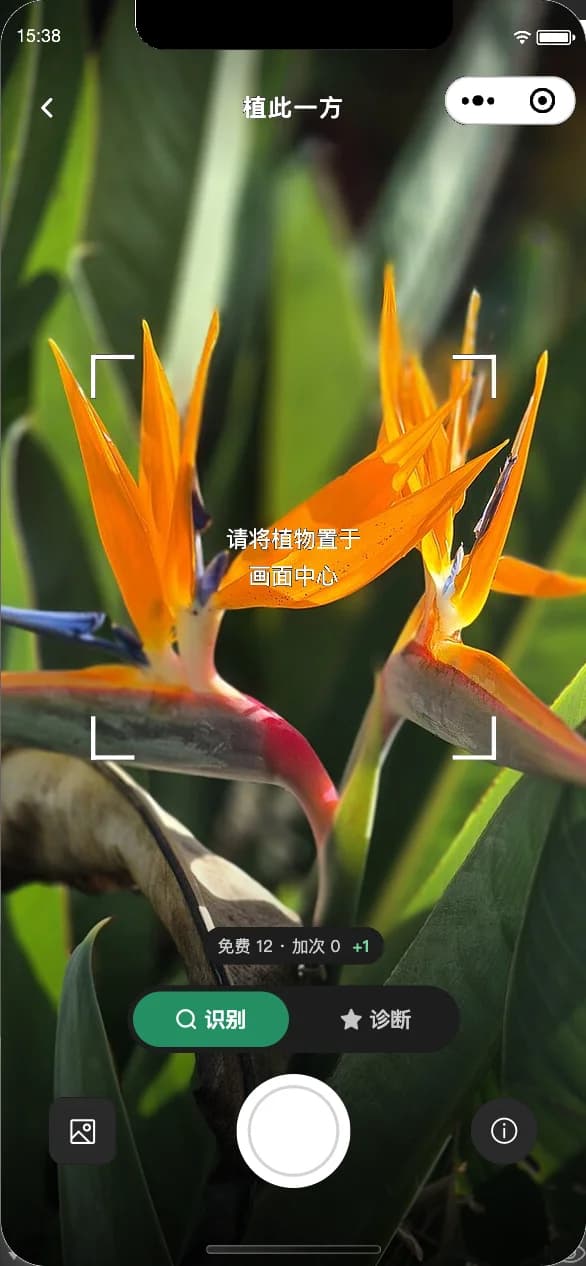
Photo identification
Frame the plant and get candidate species in seconds, straight into the encyclopedia or garden.
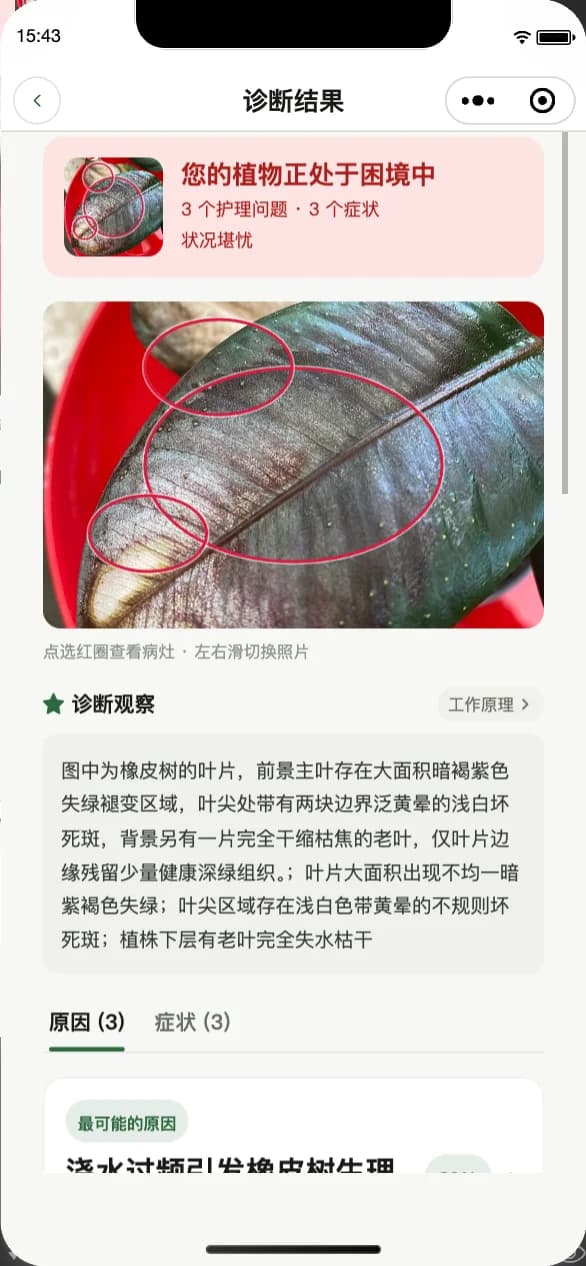
Diagnosis result
Marks the lesions, lists symptoms and gives a step-by-step plan for the most likely cause.
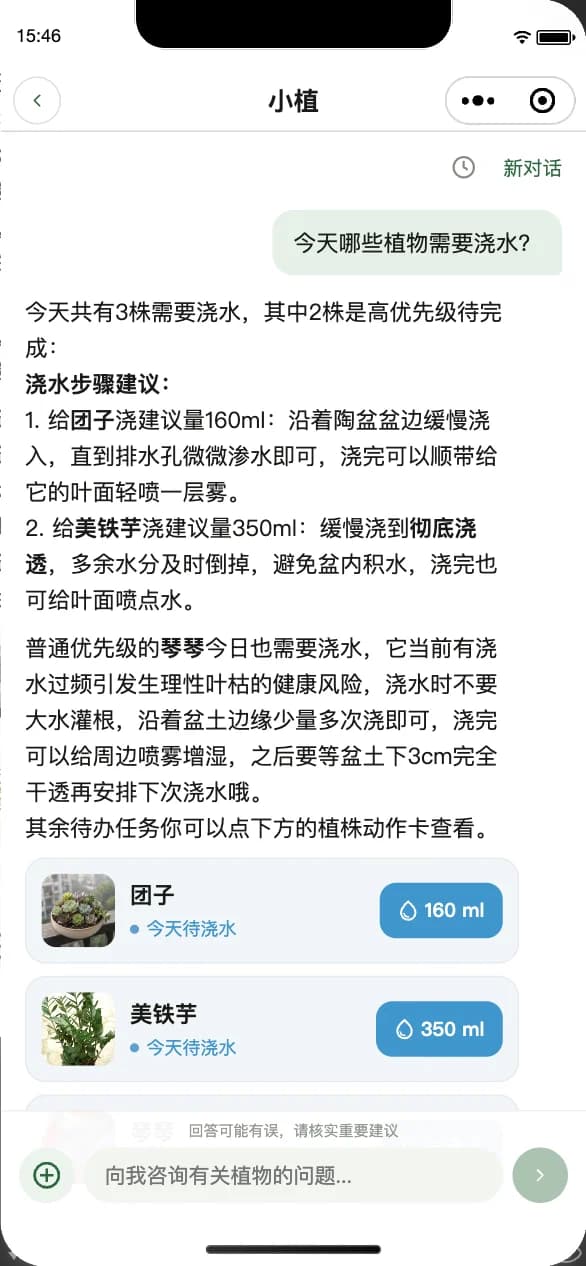
Xiaozhi advisor
One question about what to water and how much, answered with plant action cards.
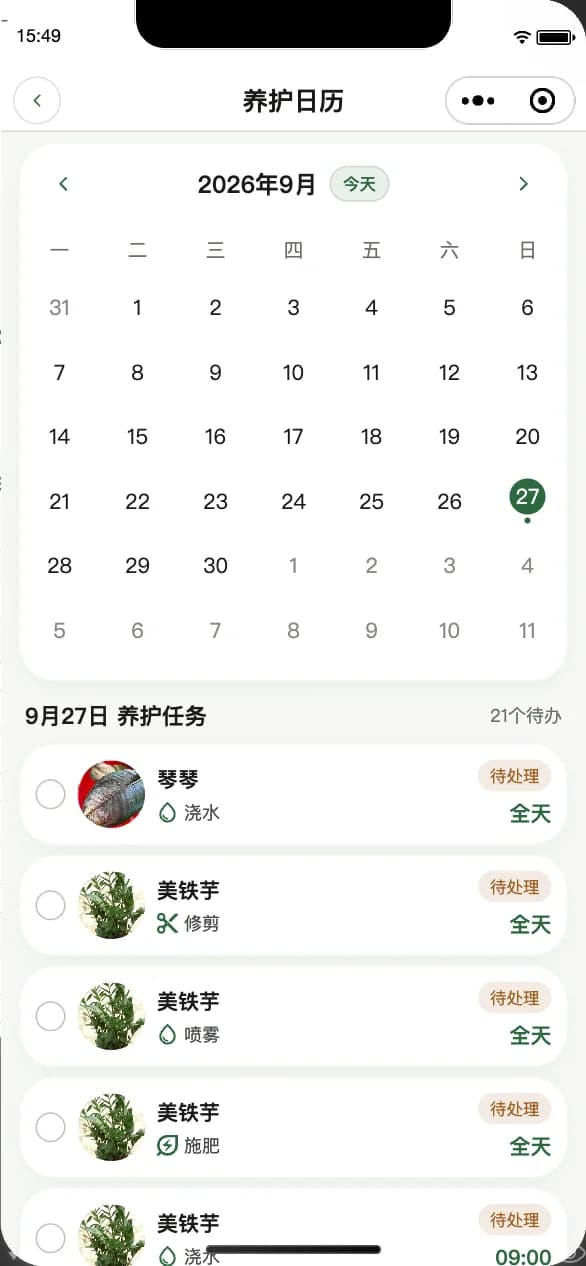
Care calendar
Watering, pruning, misting and feeding scheduled on a calendar, with reminders you tick off.
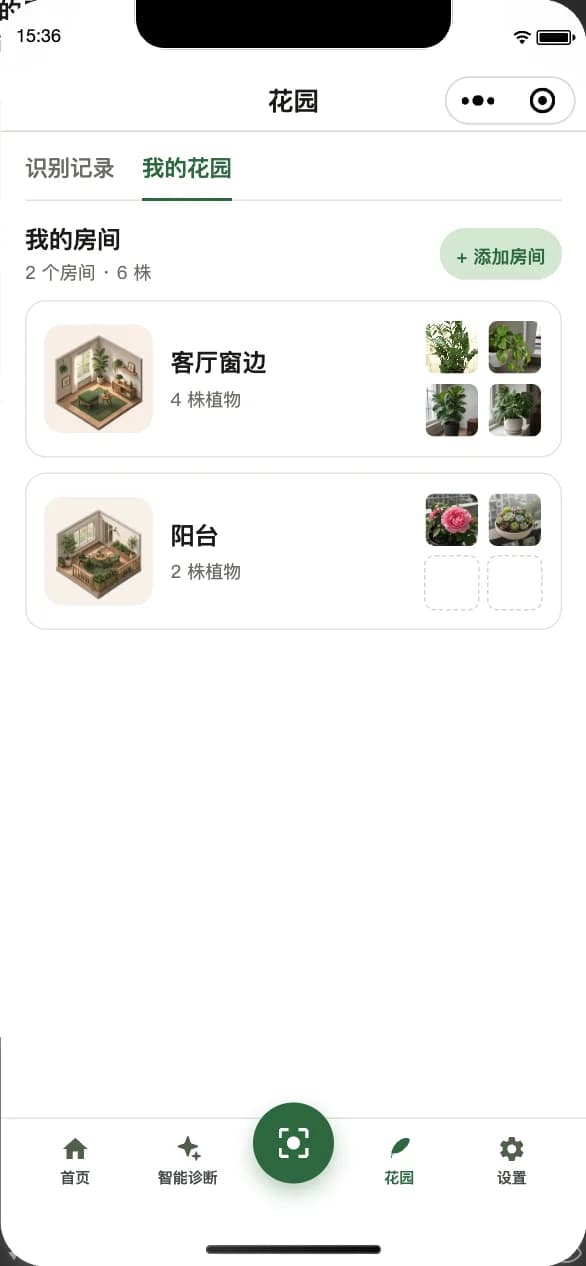
Garden · my rooms
Manage plants by room — four by the living-room window, two on the balcony — and see at a glance who needs care.
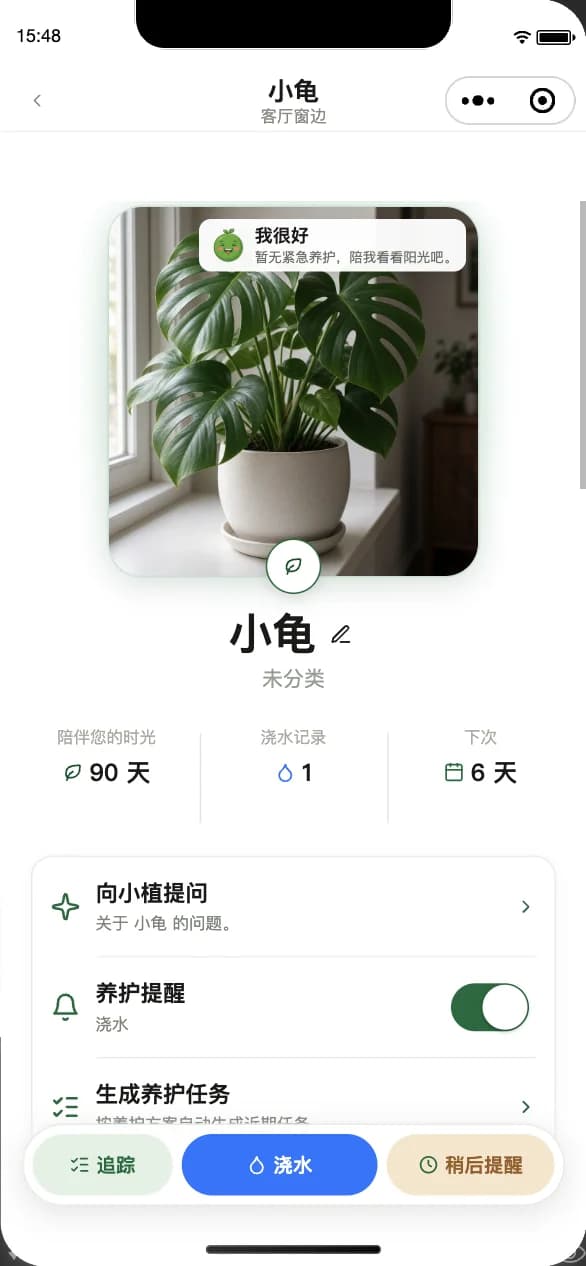
Plant profile
One profile per plant: days together, watering history and next watering, plus a direct line to Xiaozhi and generated care tasks.
Screenshots from the iOS mini program
Take a photo, then hand it to Xiaozhi.
It starts with a photo and ends with a plant that thrives.
Capture how it looks now
Add a new plant, or photograph a leaf that worries you.
Xiaozhi makes a call
It identifies the species, narrows down causes and writes the conclusion into the plant’s profile.
Care until it recovers
Care tasks and reminders are generated automatically; complete them daily and record the growth.
Open 植此一方 in WeChat
No download needed — search the name in WeChat. Your garden follows your WeChat account.
WeChat → search “植此一方”